
Product · Nereva Transports
Nereva Transports: the driver’s missions, from the schedule to the proof
The driver app, linked to your company’s Transport back office.
The driver opens the app: their day is there, in order. Each mission guides them to the site, each step is confirmed with one tap, the photos stay attached to the mission. What the dispatcher schedules or changes reaches them in the app.
15-day trial with 2 licences. No payment method required.
Nereva Transports, free on the App Store and Google Play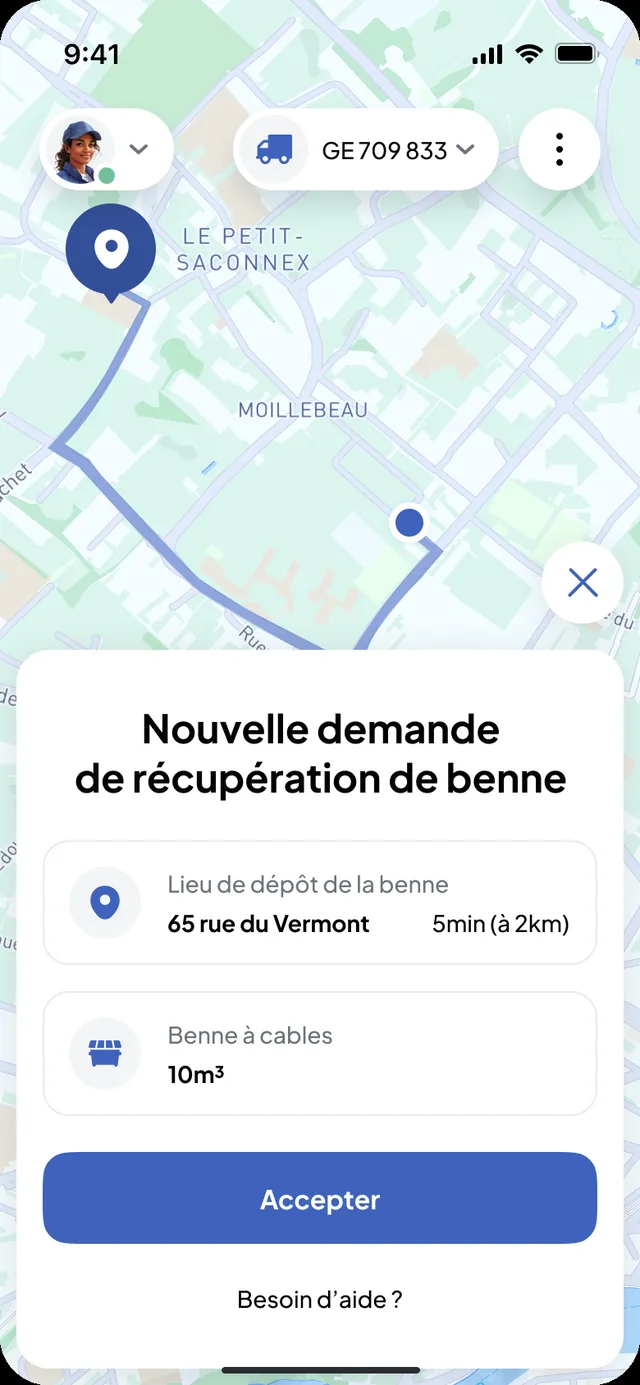
The driver’s day, in order
The day’s schedule comes from the dispatcher: the next mission to start, then the following ones. Each mission carries what the driver needs, without a call to the depot.
- The site and its address, the time slot
- The mission type: drop-off, collection, exchange, empty and return, removal with waiting, materials delivery, custom request
- The skip type or the material, the request’s instructions
- The selected truck and the skips on board
From the mission to truck navigation, without re-entering the address
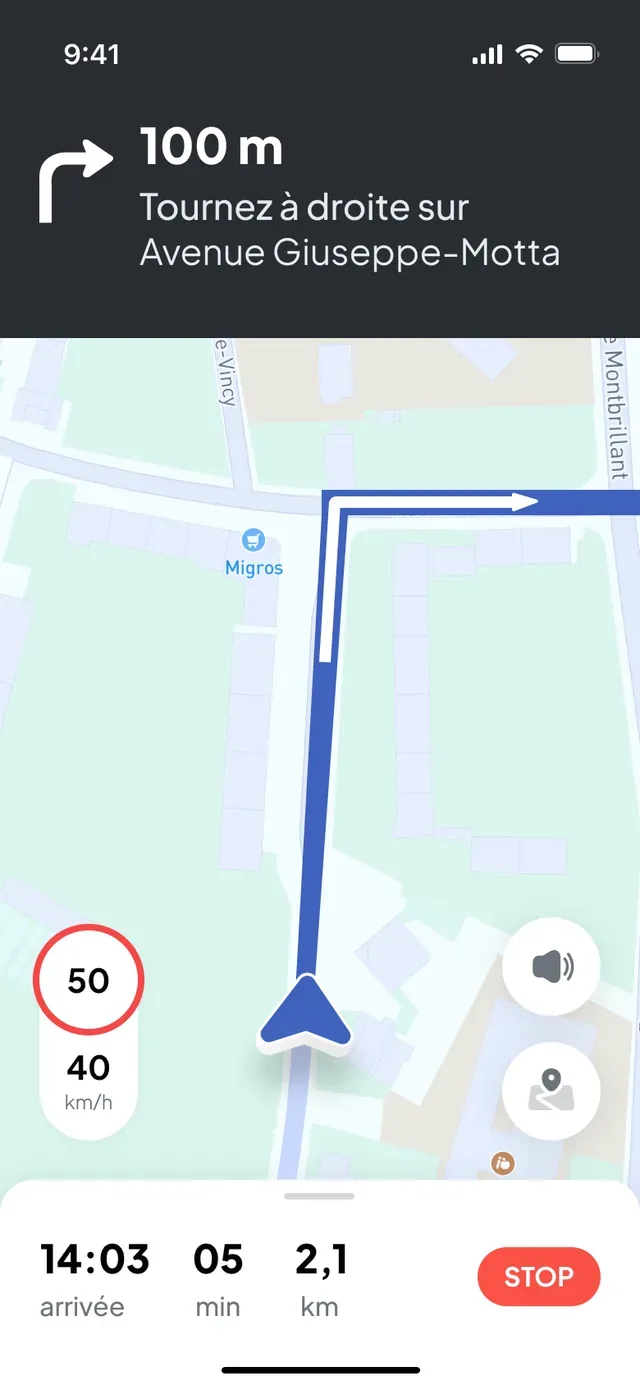
One tap from the mission and guidance starts towards the request’s address. Nereva relies on HERE technology for mapping and heavy-vehicle routing. When the dispatcher changes the address or the time slot, the driver restarts navigation from the updated mission.
- Route calculated for the truck, traffic taken into account
- Guidance to the mission address: site, depot or sorting centre
- Truck position shared with the dispatcher during the active mission only
Steps
Every step confirmed, every step timestamped
The app says what to do, in order: go to the location, drop off or collect the skip, go to the sorting centre, close. At each step, the driver confirms with one tap and the time is recorded on the mission.
- 1
Start
The driver starts the mission from their schedule; the dispatcher sees the mission started.
- 2
Arrival and drop-off or collection
On site, they confirm the drop-off or collection of the skip, or the delivery of the materials.
- 3
Sorting centre
For a removal, the sorting centre is shown in the mission when it is filled in; the waste type, the weight and the weighing number are recorded when they are actually entered.
- 4
Closure
The closed mission updates the office schedule. A help button and a call to their company stay within reach throughout the mission.
The photos and the digital delivery note stay attached to the mission
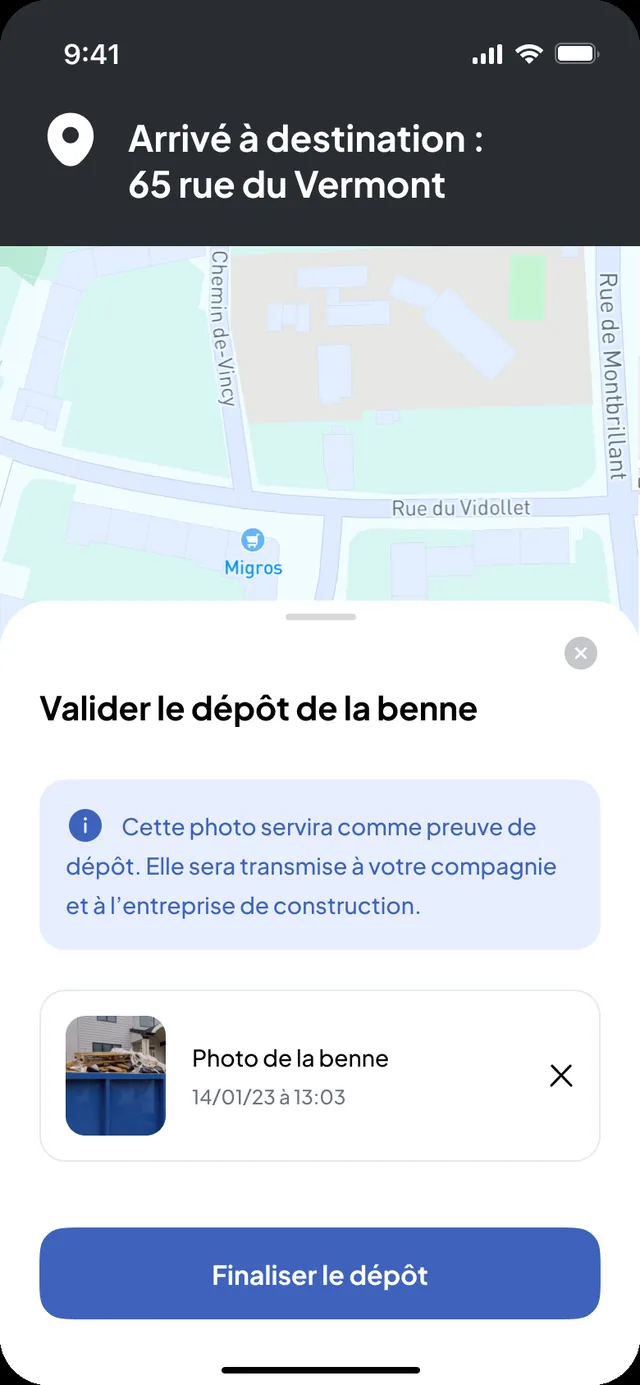
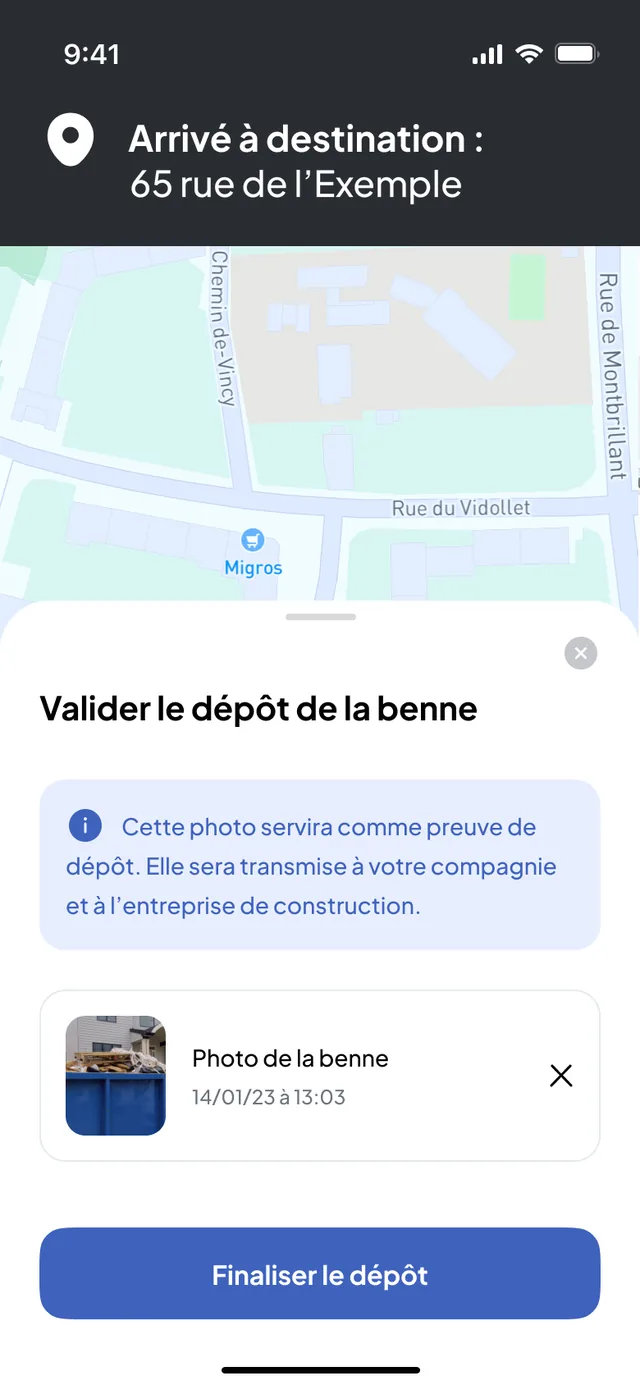
The requested photos are taken in the app, on the spot: the skip dropped off, the full skip, the skip at the sorting centre, the receipt. With the time of each step, they form the mission’s digital delivery note, visible in the Transport back office and, if the client is on Nereva, in their back office.
- Photos taken in the app and filed on the mission
- Time of each step recorded on confirmation
- Digital delivery note attached to the carrier’s statements and invoice
- Sorting centre receipt photographed when requested
What the dispatcher changes reaches the app
New address, new time slot, request moved or cancelled: the driver is notified in Nereva Transports and finds the updated mission. They can also report, with a justification, that they cannot continue a request.
- Request changed: check the updated details
- Request moved by the administrator: resume the day’s schedule
- Request cancelled: wait for instructions or call the company
- Skip ready for collection: the notification arrives on the mission concerned
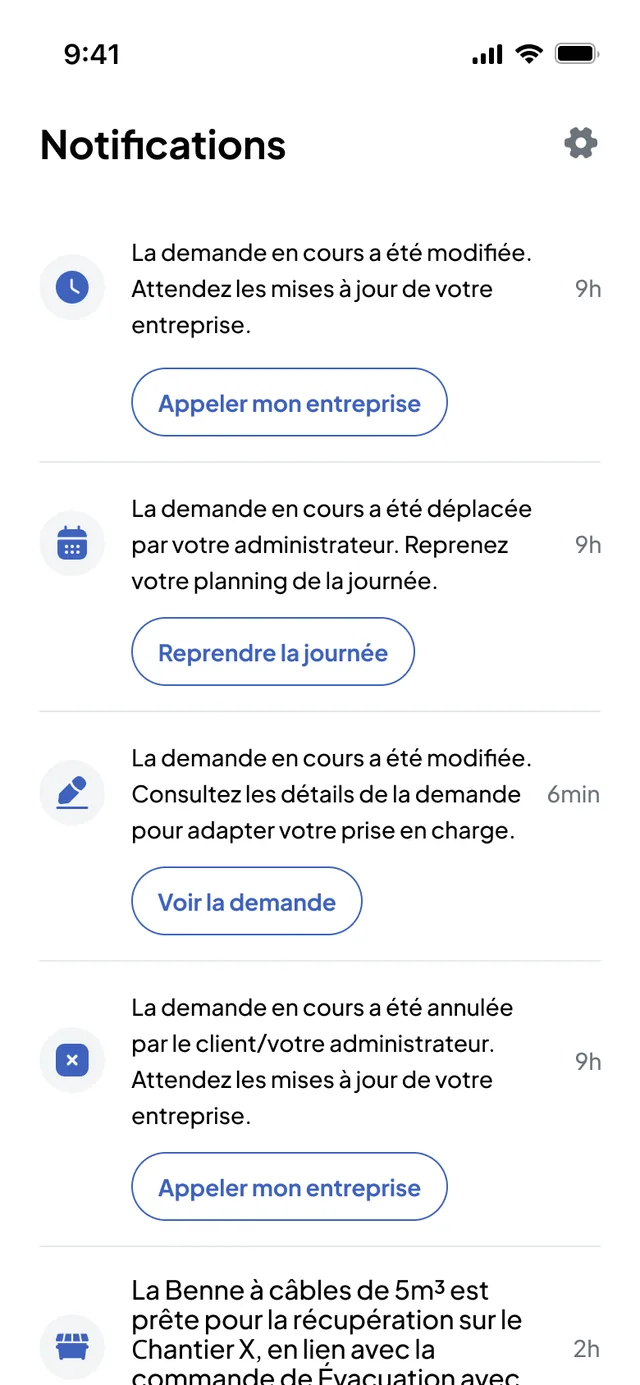
Transport synchronisation
The Transport back office and Nereva Transports: the same mission, in the office and in the cab
The dispatcher schedules, assigns and changes in the Transport back office. The driver receives, carries out and documents in Nereva Transports. Each confirmed step updates the mission in the office; the truck’s position appears on the map during the mission, without a tracking box.

In the office
- Requests, schedule by truck and by driver
- Dispatch and changes, blocked time slots
- Fleet on the map during missions
- Delivery notes, statements and invoicing
In the cab
- The day’s missions, in order
- Truck navigation from the mission
- Confirmed steps and photos
- Dispatcher notifications
Your clients
Your clients do not need to be on Nereva yet
Client not yet on Nereva
You enter their requests in your Transport back office; your drivers carry them out in Nereva Transports. Delivery notes, photos and statements are in your back office; you send them to the client as PDF.
Client on Nereva
Their request lands directly in your schedule, without re-entry. They follow the truck linked to their request and find the delivery note and the photos in their back office, according to their roles and permissions.
One tool for your drivers, whatever the client. No commission, nothing changes in your business relationships.
Download
Nereva Transports, free on the App Store and Google Play
Nereva Transports
The driver installs the app and signs in with the credentials created by their company. The download is free; the service is billed per licence, and the Driver role counts as one licence.
Site side: Nereva Commandes
The app with which your clients create and follow their requests from the site.
Offline mode
Keep working even without a network connection.
Nereva Transports has an offline mode. In a tunnel, a basement, the mountains, on a remote site, in a quarry or a depot with poor coverage, the driver continues the work in progress, within the supported scope; the app synchronises when the connection returns, according to how the product works.
- Tunnels and basements
- Underground car parks
- Mountain areas
- Remote sites
- Quarries and gravel pits
- Depots with poor coverage
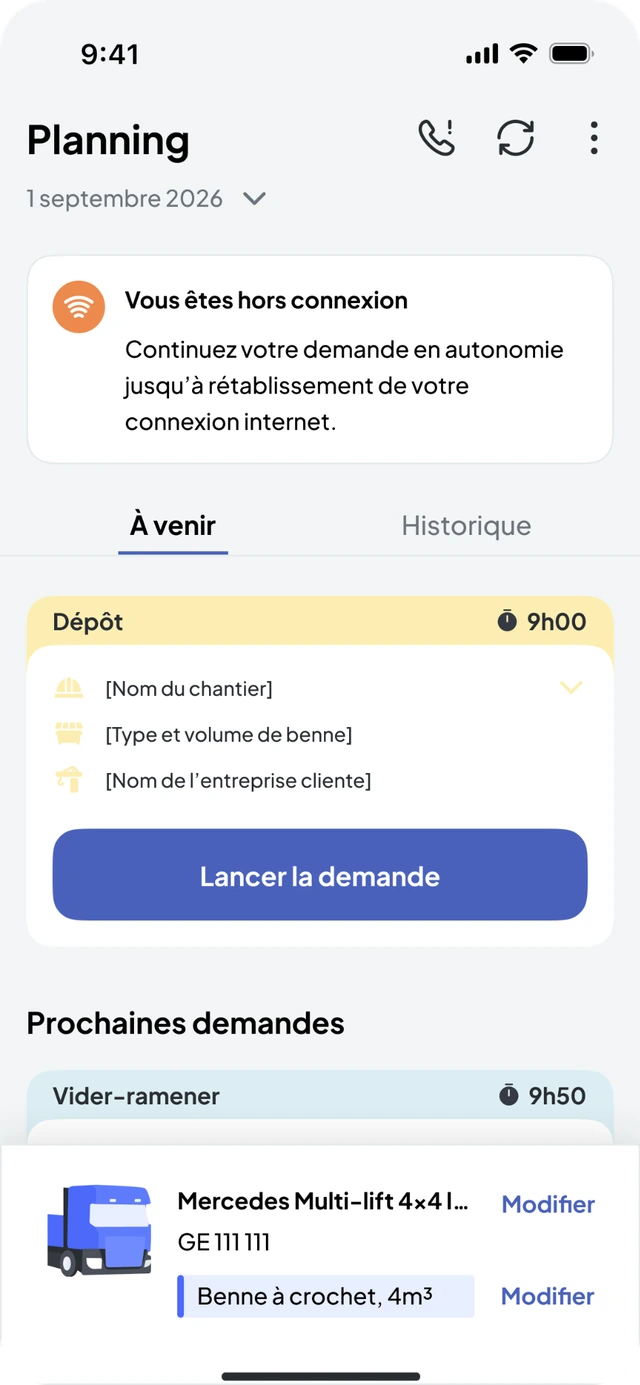
What continues without a network
- The driver continues the mission in progress without waiting for the network to return, within the supported scope.
- What is done without a network synchronises when the connection returns, according to how the product works.
- Heavy-vehicle GPS navigation keeps working even without a network connection.
What waits for the connection to return
- While the device is offline, nothing is transmitted to dispatch: the dispatcher sees the driver as “Offline” in the schedule and receives their updates when the connection returns.
- Changes made by dispatch reach the driver when the connection returns.
- Live truck tracking and notifications resume with the connection.
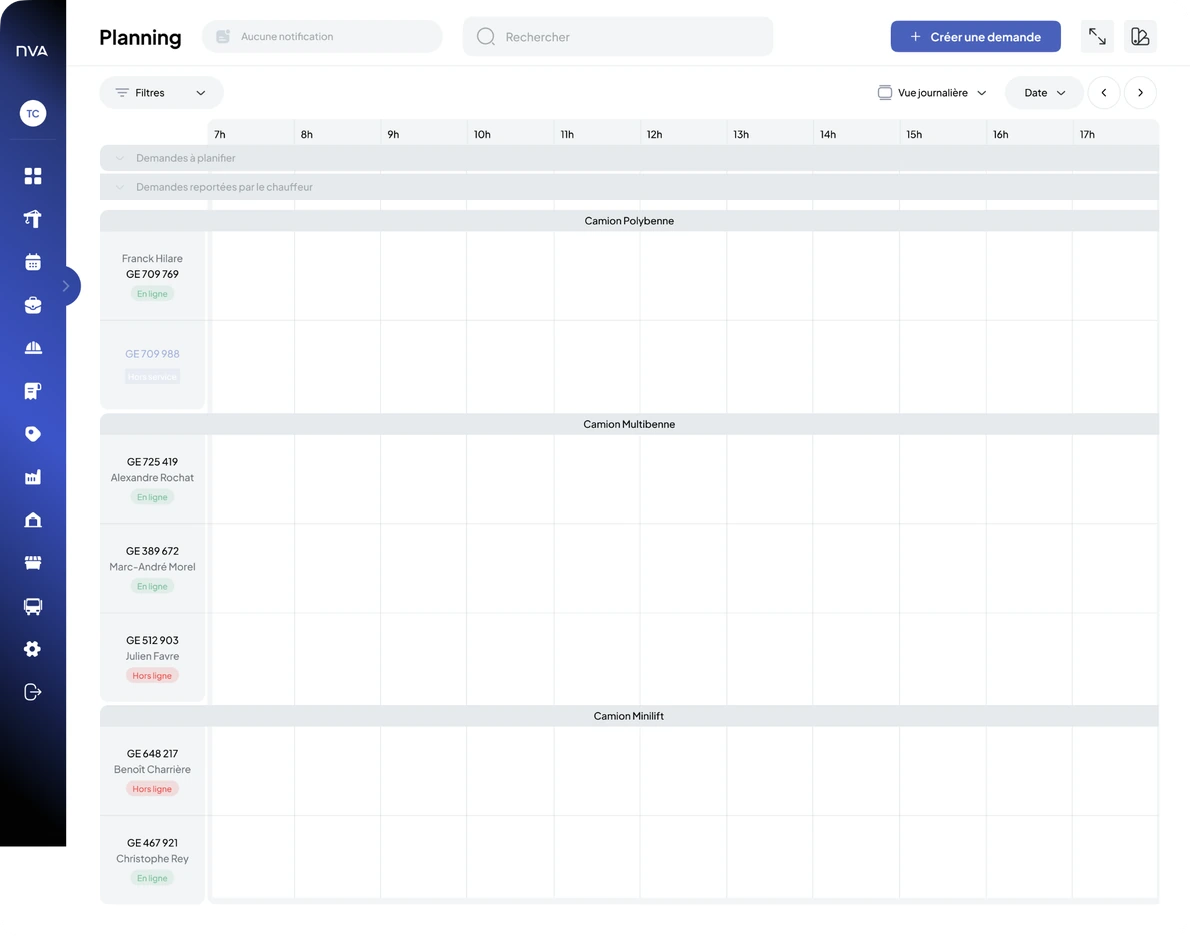
Offline mode is not real time: it lets you keep working; synchronisation between the interfaces resumes when the network returns.
Your questions
Nereva Transports, in plain words
Does Nereva Transports work if my clients are not on Nereva?
Yes. The app is linked to your company’s Transport back office: the dispatcher enters or receives the requests there, and your drivers carry them out, whether the client is on Nereva or not. When they are, their request lands directly in your schedule.
What does the driver see in the app?
Their day in order: the next mission, the site and its address, the time slot, the mission type, the skip or the material, the instructions, then truck navigation. They confirm the steps and take the requested photos.
What happens if the schedule changes during the day?
The mission is updated in the app: new address, new time slot, request moved or cancelled. The driver is notified and can restart navigation to the new address or call their company from the mission.
Does Nereva Transports work without a network?
Yes, within the supported scope: the app has an offline mode to keep working in a tunnel, a basement, the mountains, on a remote site, in a quarry or a depot with poor coverage. What is done without a network synchronises when the connection returns, according to how the product works. While the device is offline, nothing is transmitted to dispatch, which sees the driver as “Offline”.
What proof does the driver produce?
The photos requested at each step, the time of each confirmed step, and the waste type, the weight and the weighing number when they are actually entered. Everything is filed on the mission and visible in the Transport back office.
Are drivers monitored through the app?
No. The truck’s position is shared during the mission only, from its acceptance to its closure, never during breaks or personal time. It serves the dispatcher and the site; it is not used to monitor, rank or sanction a driver.
Does Nereva Transports manage driving time, the tachograph or payroll?
No. The app organises the driver’s missions. The tachograph, driving time, payroll and vehicle maintenance stay in your own tools.
On which phones is the app available?
Nereva Transports is free on the App Store (iPhone) and on Google Play (Android). Each driver signs in with their credentials; the Driver role counts as one licence.
Each feature of the Transport back office is described in detail on the Transport features page.
Going furtherMissions and the information that matters, right in the cab.
15-day free trial with 2 licences. No payment method required. Monthly subscription afterwards, with no fixed term.