Request
The site orders from its app or you enter the request: skip type, volume, site, time slot and rotation type.

Your skip fleet and your rotations in the same software as your schedule, your drivers and your invoicing. Every movement is scheduled, executed from the driver app and documented. Works on its own, even if your clients are not on Nereva yet.

Chain-lift skips, hook-lift skips, skips with a door or ramp, from 4 to 12 m³: the inventory shows, for each type, how many skips are at the depot, on site, on a truck or in maintenance. You add skips in a few taps, and the fleet follows your missions.
Today the fleet is tracked by type and by status. Individual skip identification (number, photo, location, history per skip) is in development.

A skip rotation always follows the same steps. Nereva chains them in a single tool: what is entered once serves the schedule, the driver, the tracking and the invoice.
The site orders from its app or you enter the request: skip type, volume, site, time slot and rotation type.
You assign the mission to a truck and a driver in the schedule by vehicle: hook-lift truck, skip loader, each truck has its own line.
The driver receives the mission in the app, starts it and confirms each step; the site follows the progress.
The digital delivery note builds up during the mission: the time of each step, photos taken in the field, waste type and weight when they are entered.
Daily and monthly statements are generated from the missions, per client and per site, ready to send as PDF or XLSX.
Five rotation types cover the life of a skip on a site. They exist identically on the site side and on the transport side: the request reaches your schedule already qualified.

Skip rotations do not live in a separate piece of software. They are missions like any other, scheduled alongside your material deliveries and machinery transport, on the same trucks and by the same drivers.

You start on your own: your clients do not need to be on Nereva for you to manage your skips and your missions.
The site orders in Nereva Commandes, the driver carries out the mission in Nereva Transports, the site follows its skips. One piece of information, on both sides.
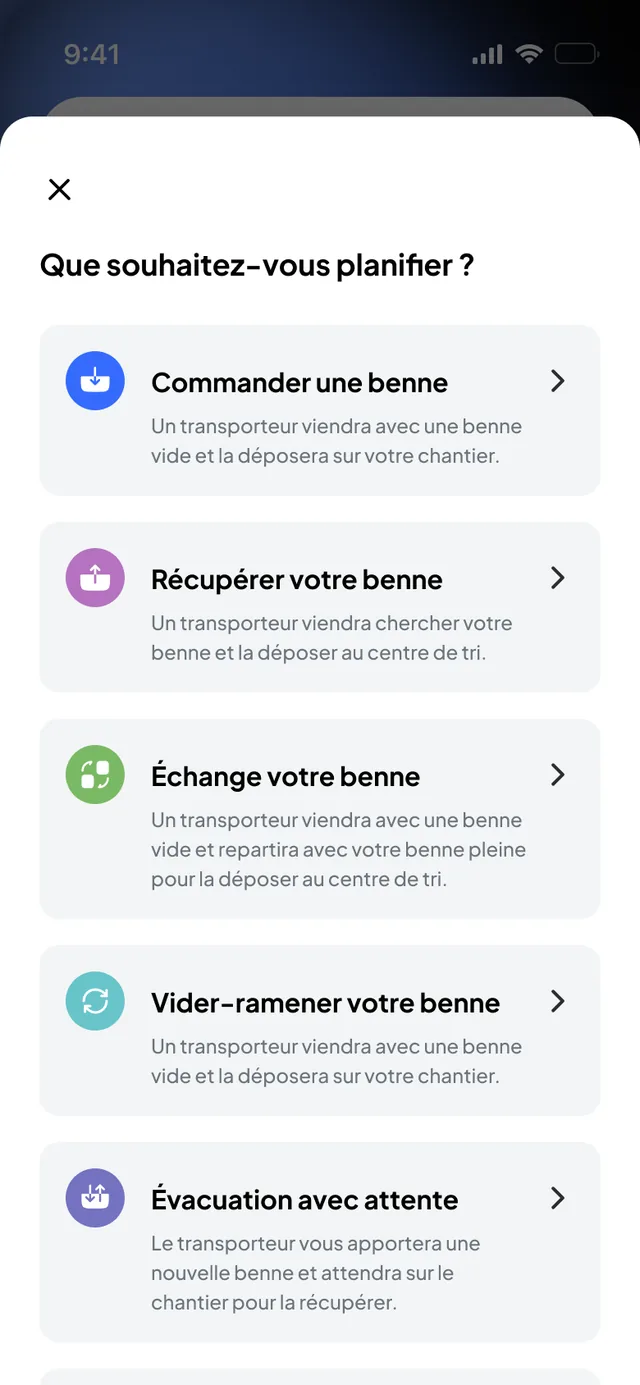
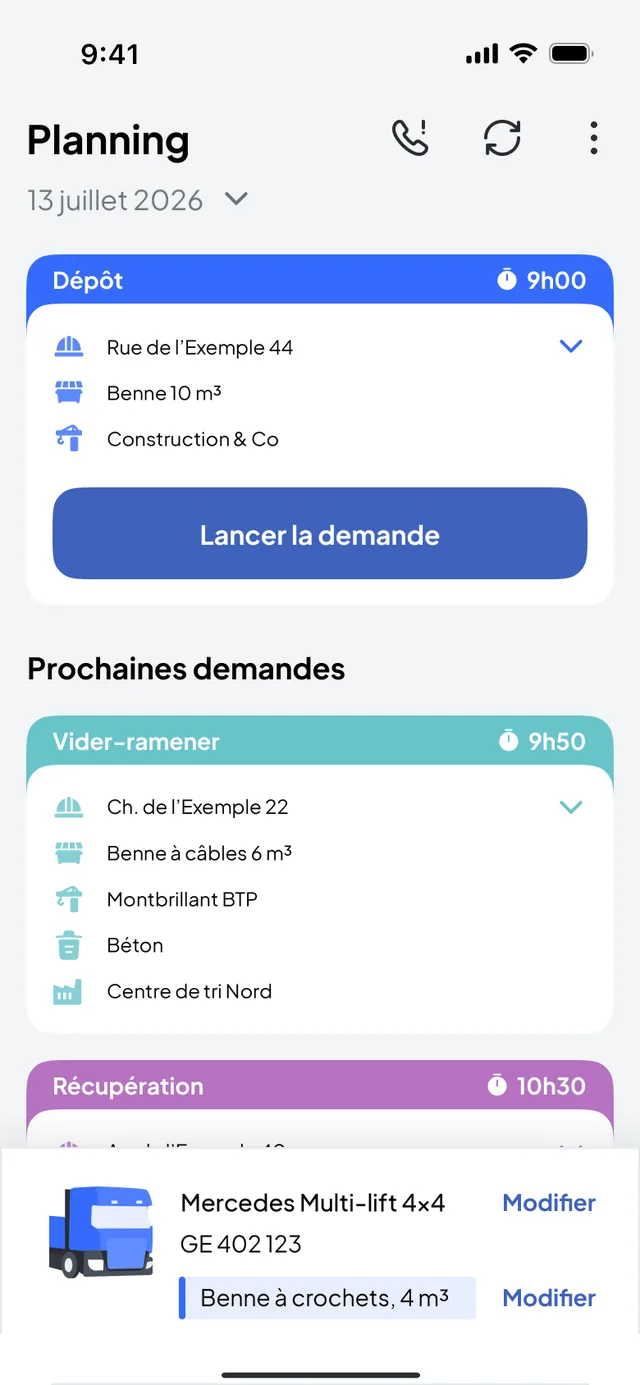
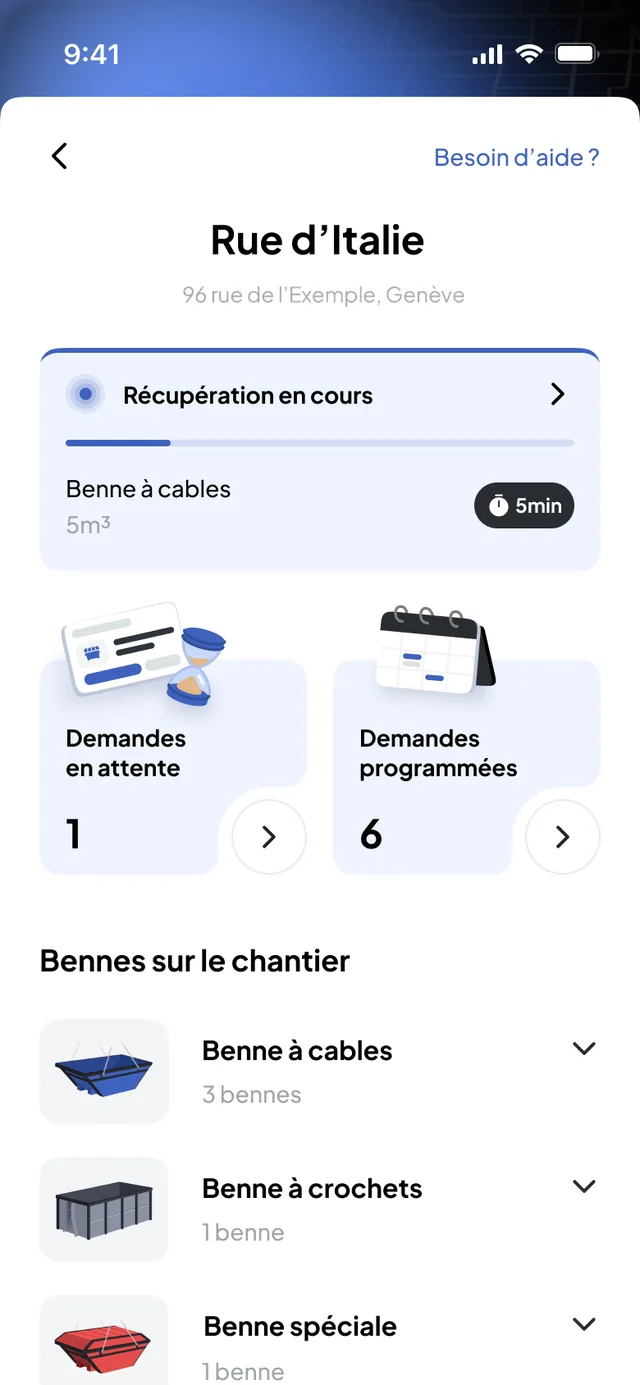
Construction and transport, on both sides: that is how synchronisation makes full sense.
“The site orders directly from the mobile application, and our dispatch receives the information immediately. No more phoning to pass on or confirm an order: everyone works on the same information.”
Drop, exchange, collection, empty-and-return, removal with waiting: each rotation is a documented mission, with its timestamped steps, its photos and its note. The QHSE manager finds an operation and its supporting documents without reconstructing a driver’s day.
Software that tracks a carrier’s skip fleet (types, volumes, quantities, status) and organises its movements: drop, exchange, collection, empty-and-return, removal with waiting.
At Nereva, this module is part of the TMS: rotations are scheduled, executed by the drivers and invoiced in the same software.
By type and by status. For each skip type, the inventory shows how many skips are at the depot, on site, on a truck or in maintenance, and each client site shows the number of skips currently there.
Individual identification of each skip (number, photo, location, history) is in development.
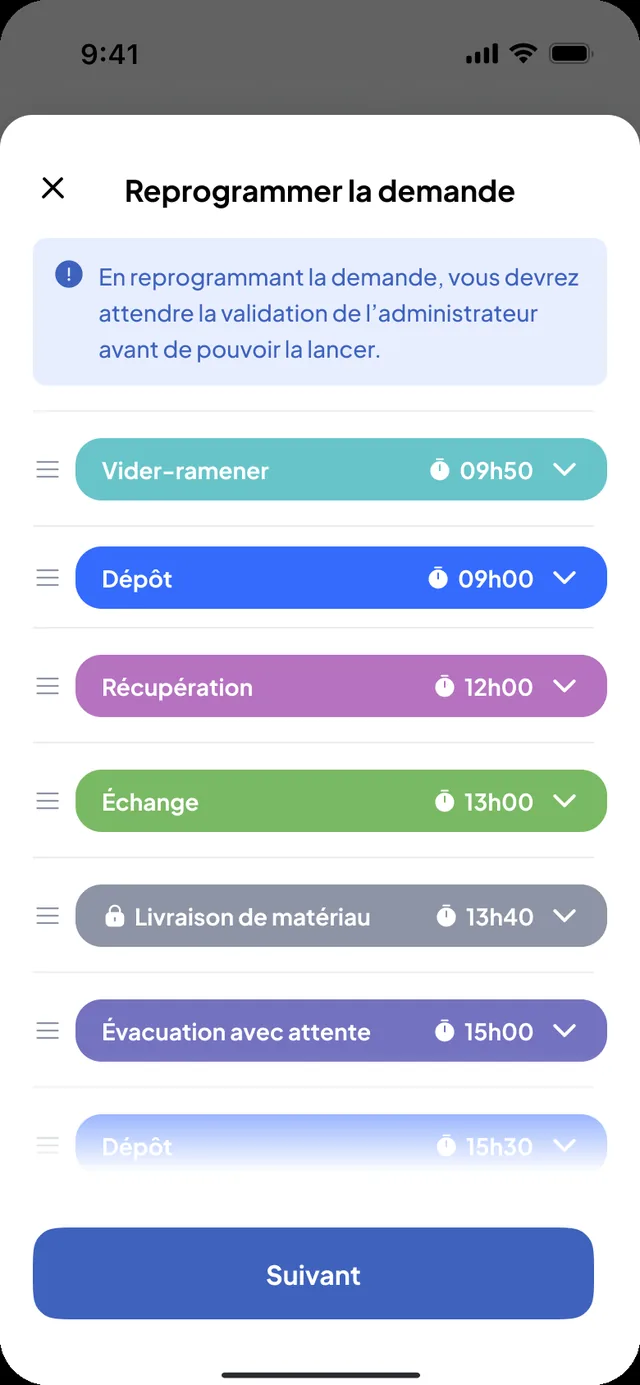
Five request types for skips: drop, exchange, collection, empty-and-return and removal with waiting. Each type has its steps and its photos. Materials deliveries, machine transports and custom requests complete the list.
Placing an empty skip on the site, in the right spot and the right time slot. The driver confirms the placement with a photo; the skip then counts among those present on the site.
Taking the full skip away and replacing it with an empty one in the same rotation. It is the most frequent movement. The full skip goes to the sorting centre; the time of the drop at the sorting centre and the photos are recorded.
Taking a skip back from the site without replacing it: full to the sorting centre, empty to the depot. The site no longer has that skip and the fleet inventory is updated.
The same skip leaves full, is emptied at the sorting centre and comes back to the site. One skip, one rotation: useful when the site has no room for two skips. It is a request type in its own right, with the time of passage at the sorting centre.
The truck arrives with the skip, waits on site during loading, then leaves to remove it. The waiting time is part of the service; the mission keeps its start and end times.
Per truck: skip loader, hook-lift, tipper. Requests to be scheduled appear in a queue, you place them on a truck and a time slot, the driver receives them in order. The day’s changes are made in the same place.
No. You manage your fleet, your schedule, your drivers and your invoicing on your own. When a client joins Nereva, its requests arrive directly in your schedule and it follows its skips on its side.
Yes. There is no module to buy separately: the fleet inventory, the skip request types, the schedule per truck and the invoicing of rotations are in the same software, included in the licence.
Yes. The schedule reads by truck and by driver: each vehicle has its own line, hook-lift truck or skip loader, and the rotations are assigned to it with their site, skip type and time slot.
Each client site carries a price list per service and per skip type, with a default price and a negotiated price.
Daily and monthly statements are generated from the completed missions, per client and per site, and export as PDF or XLSX.
No. Nereva is software. The skips, the trucks and the drivers are your company’s, and your business relationships with your clients do not change: no commission, no intermediary.
15-day free trial with 2 licences. No payment method required. Then a monthly subscription, with no fixed term.