
With your usual carrier
You keep your carrier. You gain the connected request.
The site keeps its carrier, the carrier keeps its customers.
Nereva does not choose your carrier and does not offer you another one. When you are both on Nereva, the request leaves from the site or the office and lands in your carrier’s planning; execution leaves its evidence, on both sides.
15-day free trial · 2 licences included · No payment method required
Today and tomorrow
Without an account, with an account
Without a Nereva account
- Your carrier uses Nereva as its own TMS: it creates your sites and your requests in its back office, as for any unregistered customer.
- You receive from it the documents it sends you: statements, delivery notes, invoices, by e-mail.
- Your habits do not change; coordination still goes through your direct exchanges.
With a Nereva account
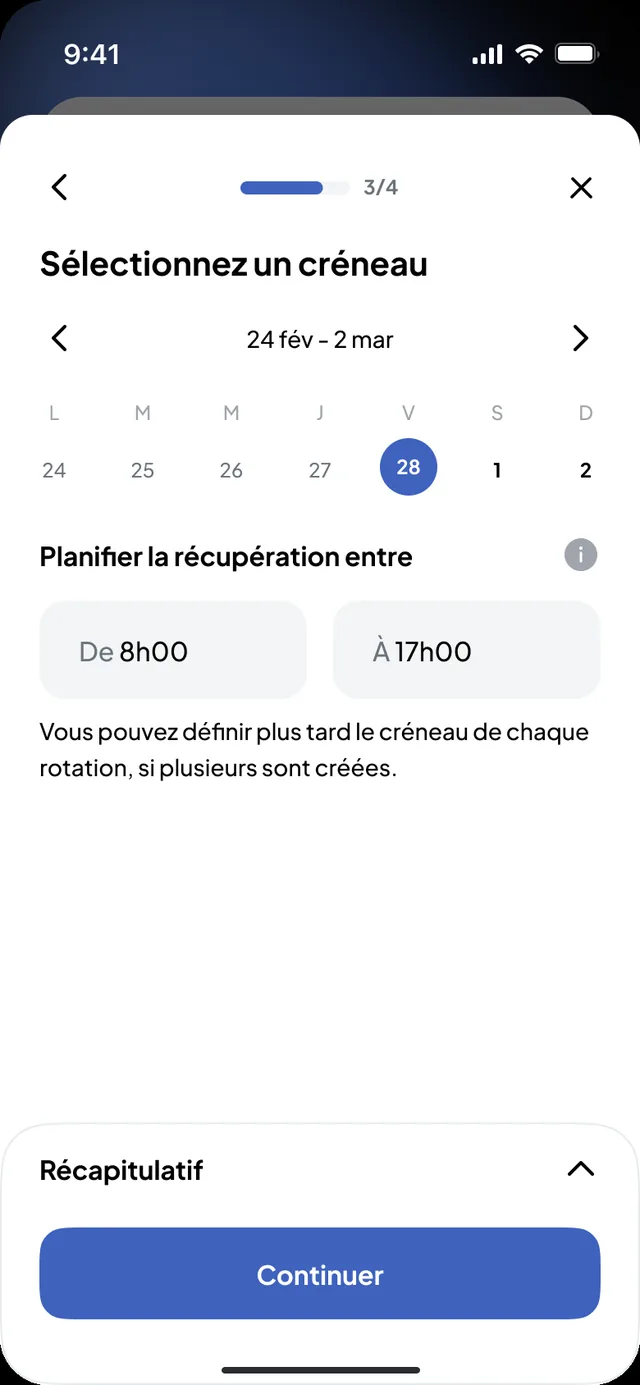
- Your foremen create their requests from the site in Nereva Commandes; the office from the Construction back office.
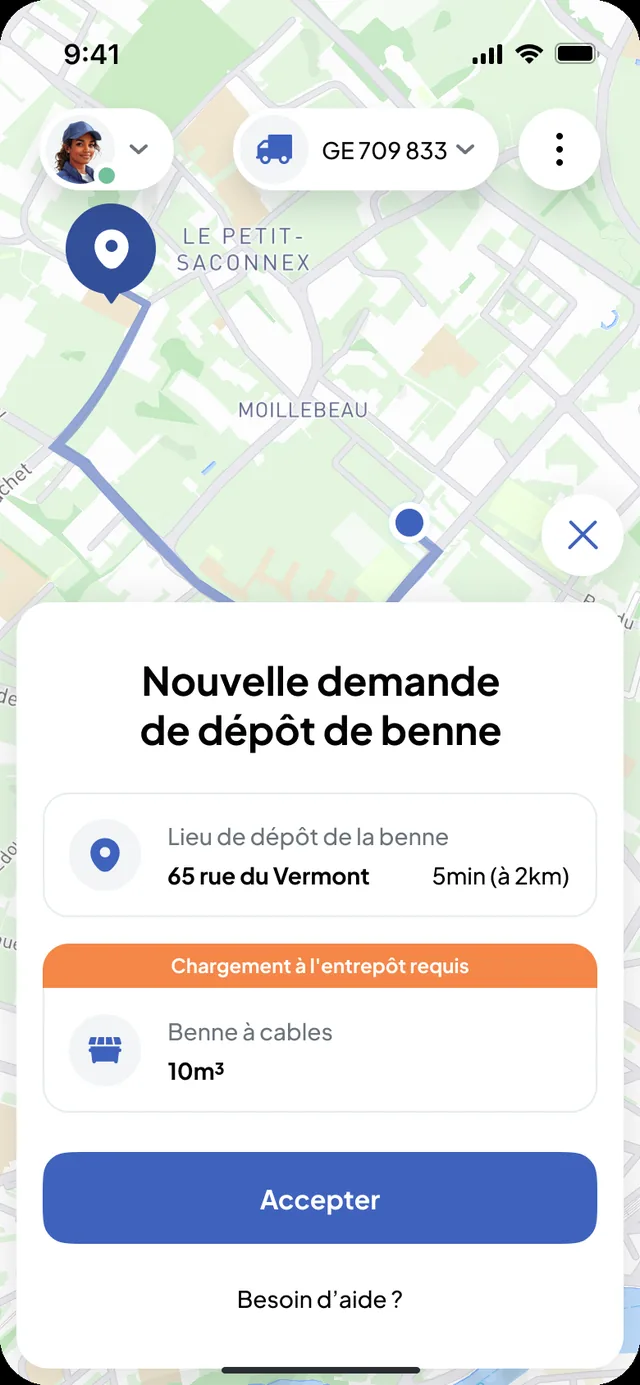
- The request lands in your carrier’s planning, with the address, the time slot, the skip or the materials and your instructions.
- You follow the status, history, photos, delivery notes and statements of each site, according to your users’ roles.
The price is the same for everyone: one licence per assigned role. 15-day free trial with 2 licences, no payment method required.
The path
Joining your carrier, or inviting it
The partnership is formed between the two accounts; each company remains free to accept or refuse it.
The invitation
Your carrier invites you from its back office; you receive the e-mail “A partner has invited you to join Nereva”. Or you register first and add your carrier from the Partners section: if it is already registered, you add it; otherwise, you invite it by e-mail.
E-mail · back officeThe account
You create your company’s account: 15-day free trial with 2 licences, no payment method required. Your workspace is activated after validation by Nereva.
BrowserThe partnership
The partnership request is accepted in the other company’s back office, Partners section. The prices agreed between you are entered in the framework agreements.
Back officesThe first request
Your foremen install Nereva Commandes; the first request leaves from the site to your carrier.
Nereva Commandes
A refused or deleted partnership stops sending requests to that carrier; nothing else changes in your account.
The e-mail an invited company receives
The invited company creates its company account from the link and finds itself connected to its partner. No other company is offered instead.
- The invitation leaves from your partner’s back office, Partners section.
- The number of pending invitations is limited: a new invitation becomes possible once an invited company has created its account.

What does not change
Nothing changes in your relationship
What Nereva does
- Transmit your site’s request to the carrier it is addressed to, with its context.
- Keep the status, timestamped steps, photos, delivery notes and statements, on both sides.
- Let each company enter the prices agreed between them in its framework agreements.
What Nereva does not do
- Choose a carrier, offer another one or put carriers out to competition.
- Take a commission or intervene in your prices.
- Step into the commercial relationship: Nereva is neither a marketplace, nor an intermediary, nor a network of carriers.
Your partners and your business relationships remain yours. Nereva synchronises operations without stepping into the commercial relationship.
A company has done it
Piasio SA, Colas group, joined Nereva through its existing flows, with its usual carrier: its foremen order from the site and the company finds, site by site, the requests and the transports carried out.
Read the use caseFrequently asked questions
With your usual carrier, in plain terms
My carrier is on Nereva: do I have to change carrier?
No. You keep your carrier, your prices and your agreements. Nereva connects your two accounts; it does not offer another carrier.
How do I join my carrier on Nereva?
Through the invitation it sends you from its back office, or by creating your account and then adding it from the Partners section. The partnership is accepted by the other company.
What if my carrier is not on Nereva?
You invite it by e-mail from the Partners section of your back office. It remains free to accept; in the meantime, you continue with it as today.
Can I work with several carriers?
Yes. Each partner carrier receives only the requests you address to it.
Who sets the prices?
You and your carrier. The agreed prices are entered in the framework agreements of your back offices; Nereva takes no commission.
What does my carrier receive when I order?
The structured request, in its back office: site, address, time slot, skip type or materials, instructions. It assigns it to a truck and a driver in its planning.
How the Construction environment and the Nereva Commandes app work is described on the dedicated pages.
Go furtherSend your site requests directly to your partner carrier.
15-day free trial with 2 licences. No payment method required. Monthly subscription afterwards, no long-term commitment.