Interested in working together?
Contact us →In this article
One piece of data, several windows
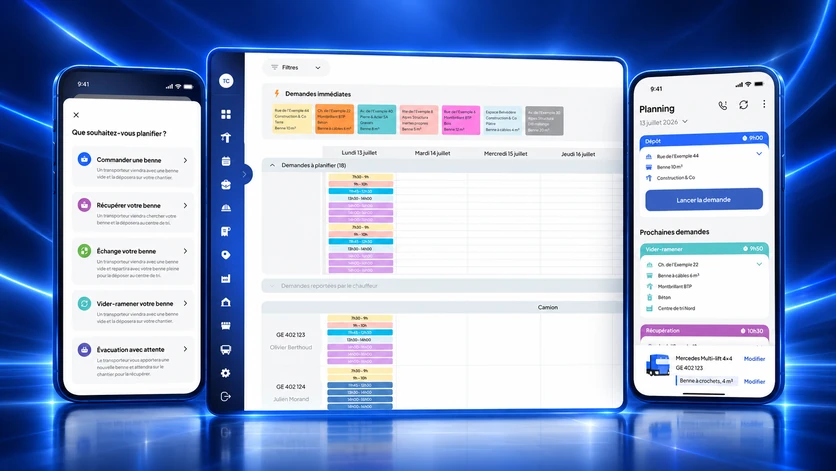
Nereva relies on a single database, synchronised in real time and hosted in Switzerland, which each side looks at through its own window: the Transport back office and Nereva Transports for the transport company, the Construction back office and Nereva Commandes for the construction company. Each company has its account and its users. The request, the mission and the invoice are the same data; roles and permissions show each user what concerns them, and only the information useful to the operation moves between the interfaces concerned of the platform.
The request: what it contains from the start
A request always carries the same information: the site and its address, the requester, the carrier, the type of operation, the container or the material, the time slot and the instructions, then, once handled, the assigned truck and driver and the status. It is created by the site in Nereva Commandes or in its back office, or entered by the carrier when it comes in by phone or e-mail. Its status is visible to everyone: it moves from scheduling to acceptance by the driver, then to execution and closure, and it can also be cancelled.
Reception and scheduling: a queue, then a truck, a driver, a time slot
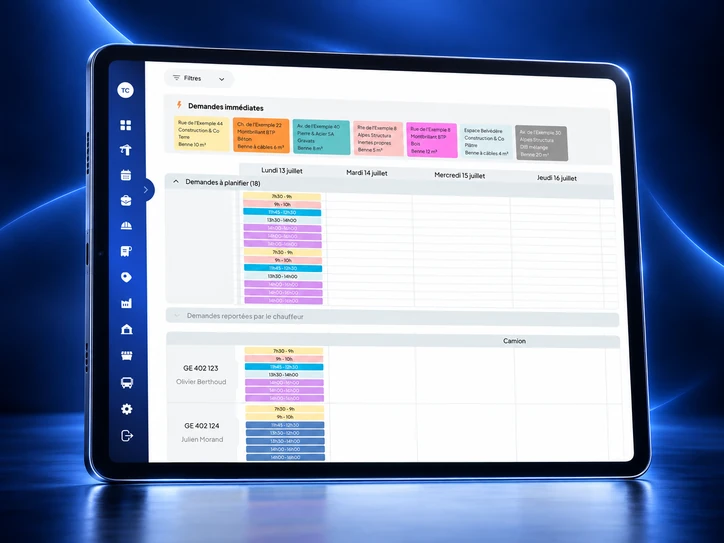
In the Transport back office, the requests to schedule wait in a queue, with their counter. The schedule shows them per truck and per driver: the day hour by hour, the week with each truck’s load day by day. Immediate requests come first. The dispatcher places each request on a truck and a time slot; a slot can be blocked on a truck, with a comment, and nothing can be placed on it. There is no automatic optimisation: the dispatcher decides, Nereva makes the decision visible to everyone, in the office and in the cab, and flags what changes. If the client is on Nereva, it sees its request scheduled.
Assignment and mission: what goes to the cab
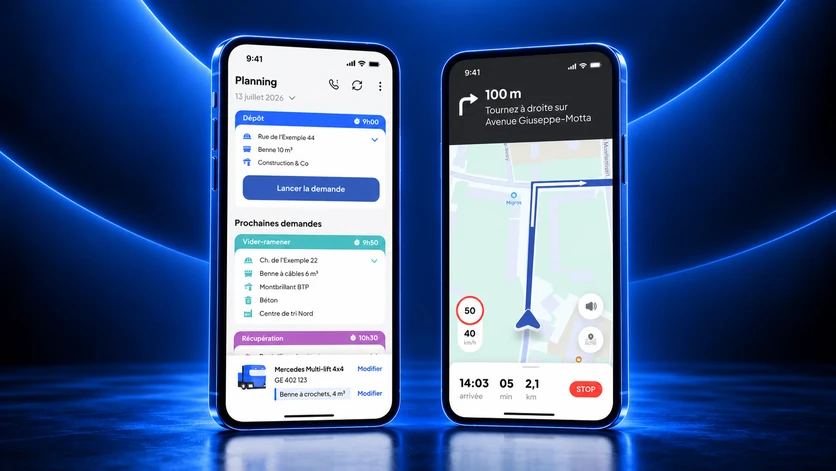
A request becomes a mission once assigned. It goes to the driver with its details: type of movement, site, address, client, skip or material, time slot, remark, selected truck and skips on board. In Nereva Transports, the mission is the same data as in the office and on the site. From the acceptance of the mission to its closure, the truck’s position is shared with dispatch and, if it is on Nereva, with the site concerned, never during breaks or personal time; it is not used to monitor, rank or sanction a driver.
Execution: every step time-stamped, every change passed on
The driver confirms the steps with one tap, departure, arrival, drop-off or collection, closure, and the time of each one is recorded on the mission. The closed mission updates the office schedule. Changes move in both directions. The driver can postpone a request that cannot be carried out: it returns to the postponed requests, and the dispatcher reschedules it. The site can change the time slot of a scheduled request or cancel it, with a reason; if the service has already started, the app flags it before confirmation, and the carrier sees the change in its schedule. The site is notified at every step: request accepted, carrier on the way, arriving in a few minutes, skip dropped at the sorting centre, time slot changed; the driver receives dispatch notifications.
One limit to know: without network, the work in progress continues within the supported scope, but nothing is transmitted to the other users before the connection returns. Offline mode is not real time.
Proof and history: what remains
Time-stamped steps, photos, receipts and tonnages form the digital delivery note of the mission, attached to the statements and invoices. The tonnage is entered or weighed and the waste type indicated when they are recorded. The client sees the delivery note in its back office if it is on Nereva; otherwise, it receives it as a PDF. The history stays attached to the site, the client and the truck: an operating history, not a regulatory register. Daily and monthly statements per client and per site are generated from the executed missions, with PDF and XLSX export. This proof consists of supporting documents that reflect the entries made in the platform, not automatic legal evidence.
From the request to the invoice, the information is entered only once and grows richer at each step. This is the cycle Nereva moves between the site, dispatch and the cab.
Keen to see Nereva on your own flows?
Try free for 15 days →