Interested in working together?
Contact us →In this article
A request created where the need arises
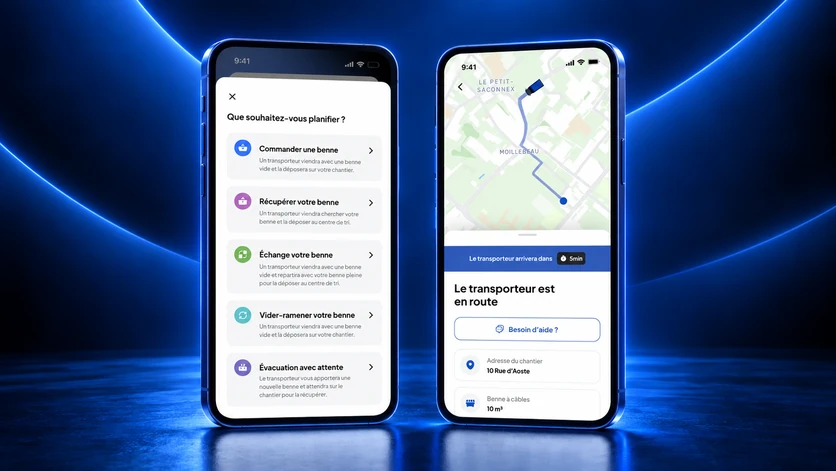
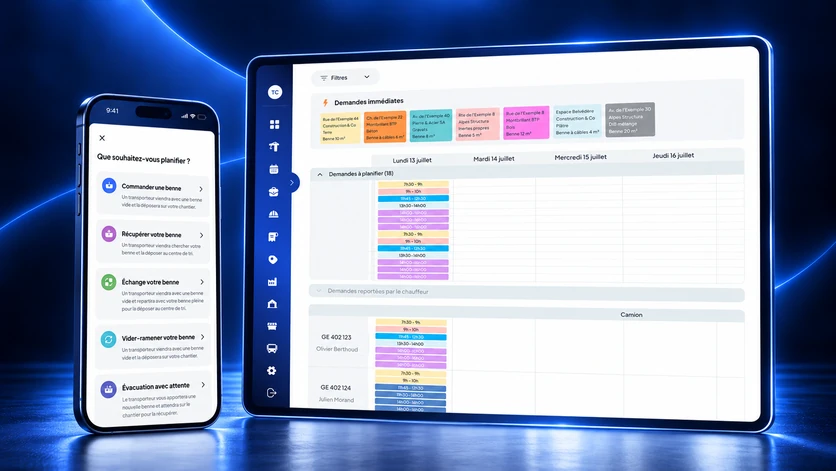
On the site, the site manager, the foreman or the works manager creates the request in Nereva Commandes; in the office, the same request can be created from the Construction back office. Seven types cover the usual needs: skip drop-off, exchange, collection or empty and return, removal with waiting, materials delivery and a custom request for anything outside the catalogue, such as moving a machine.
Whatever the type, the request carries the same fields: the site, the skip (type and volume) or the material, the desired time slot and a remark for the logistician or the driver. The site’s access constraints, width, height, length, truck weight, photo of the location, can be described when ordering. A summary shows these fields before sending.
It goes to the carrier the company has chosen
The request is sent to one of the company’s connected partner carriers. Nereva does not choose the carrier, does not suggest another one and provides neither truck, nor driver, nor skip: it is not a marketplace. Carriers are invited from the back office; several can serve the same site. A carrier not yet on Nereva receives an e-mail invitation and remains free to accept the partnership or not. Until it has joined, the company keeps working with it as it does today.
On the transport side: a qualified request in the schedule
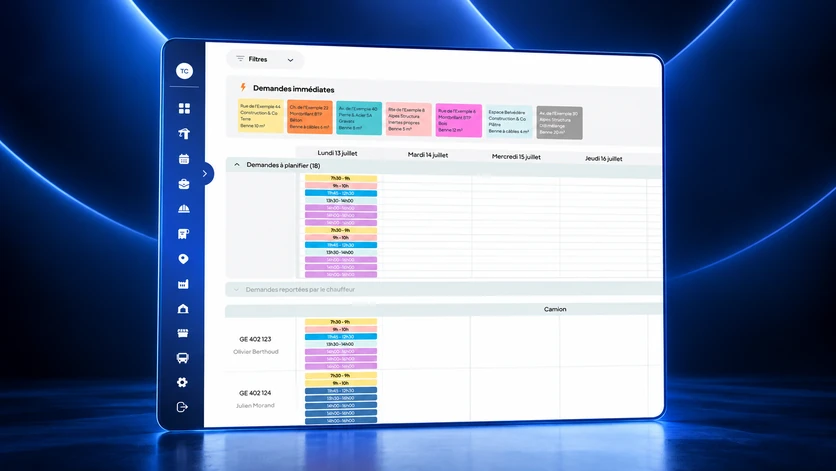
In the Transport back office, the request lands in the queue of requests to schedule, with its counter; immediate requests come first in the schedule. The five skip rotation types exist identically on the site side and on the transport side, and materials deliveries and custom requests are scheduled in the same schedule: the request arrives already qualified, with no re-typing. The dispatcher places it on a truck, a driver and a time slot. There is no automatic schedule optimisation: the dispatcher decides, Nereva makes the decision visible to everyone and flags what changes.
The same back office also serves clients who are not on Nereva: the carrier enters the requests received by phone or e-mail itself, and the rest of the flow is identical.
The driver’s mission in Nereva Transports
Once assigned, the request becomes the driver’s mission. The driver receives it in Nereva Transports with the address, the time slot, the type of skip or load and the instructions; the day is there, in order. Heavy-vehicle navigation starts from the mission, without re-entering the address, with HERE mapping and route calculation. At each step, the driver confirms with one tap and the time is recorded; the requested photos are taken on the spot and stay attached to the mission. What dispatch changes, a new address, a new time slot, a request moved or cancelled, reaches the driver in the app.
Without network, the driver continues the work in progress within the supported scope; as long as the device is offline, nothing is transmitted to dispatch, and synchronisation resumes when the connection returns.
What the site sees during and after
On its side, the site follows the status of its request: received, scheduled, in progress, completed. As soon as the carrier is on the way, the map shows the truck assigned to the request and its estimated time of arrival; the site sees that truck, not the carrier’s fleet or its other clients. It is notified at every step: request accepted, carrier on the way, arriving in a few minutes, skip dropped at the sorting centre, time slot changed.
At the end, the photos and the time-stamped delivery note stay attached to the request, visible from the site and from the office, and the history can be consulted per site. For each period, the carrier’s statements and invoice are built from the executed requests and arrive in the back office if the carrier is on Nereva, by e-mail as a PDF otherwise.
What does not change between the two companies
Each company keeps its account, its users, its roles and its permissions; only the information useful to the operation moves between the interfaces concerned. Prices remain those agreed between the parties: Nereva takes no commission and does not touch rates. The platform synchronises operations without interposing itself in the business relationship.
One flow, from the request to the invoice, seen by the site, dispatch and the driver: this is what Nereva synchronises today between a construction company and its carrier, when both are connected.
Keen to see Nereva on your own flows?
Try free for 15 days →